[Yoshida-South Library] Round-table discussion (8/2)
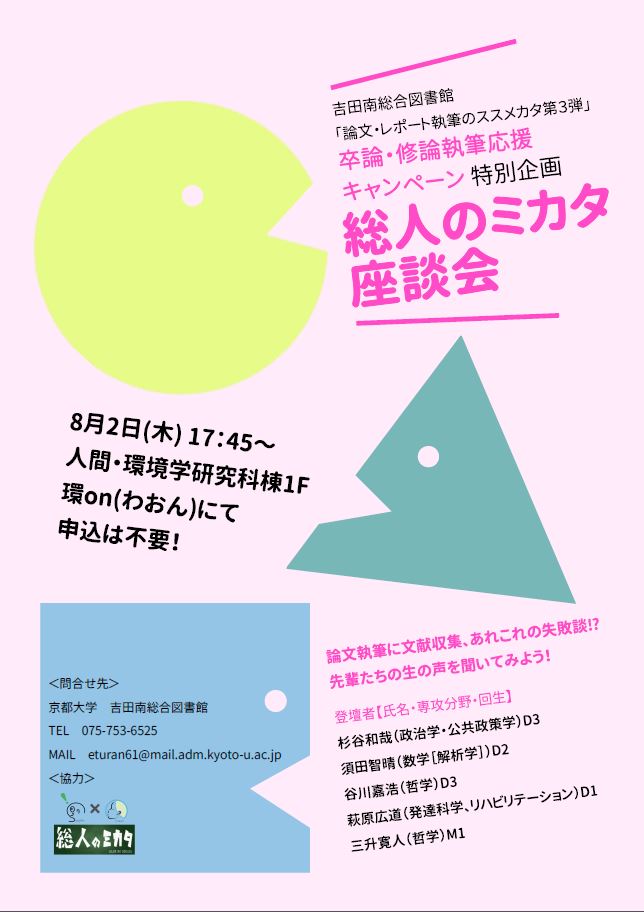
吉田南総合図書館では、卒論・修論執筆応援キャンペーンの特別企画として、総人のミカタさんによる公開座談会を開催します。
文献収集、論文執筆、あれこれの失敗談など、実際に卒論や修論を執筆された先輩たちの生の声をきいてみませんか?
予約は不要ですので、直接会場にお越しください。たくさんのご参加お待ちしています!
開催日時:8/2(木) 17:45-
会場:環on(人間・環境学研究科棟1F)
▼ 問い合わせ先:
吉田南総合図書館(逍遥館)
TEL:075-753-6525, 6524
MAIL: eturan61__at__ mail.adm.kyoto-u.ac.jp
※ __at__ は @ に置き換えて下さい。
[吉田南総合図書館]
[Maintenance]RefWorks (July 14,15)
Due to network system maintenance, RefWorks will be unavailable during the following period.
We appreciate your support and patience.
Date: Saturday, July 14, 2018 Time: 11:00-15:00 (JST)
Sunday, July 15, 2018 Time: 08:00-12:00 (JST)
Users will not be able to:
- RefWorks
- Write-N-Cite
- Write-N-Cite for Google Docs (RefWorks Google Docs)
- RefWorks Citation Manager
[Main Library Academic Support Section]
[Medical Library] Talk session : How to become a physician scientist in 30s in top institutes in US (Jul 19, 4:45-6:30 pm) [Medical Library Support Campaign for foreign medical licensing exam Part 2, 2018]
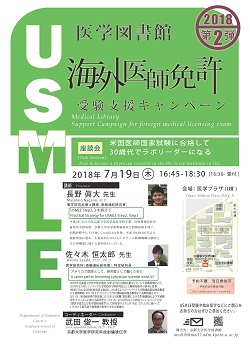
Medical Library Support Campaign for foreign medical licensing exam Part 2, 2018
[Talk Session] How to become a physician scientist in 30s in top institutes in US
[Added on 19th Jul.]
We are very grateful that many people attended.
The handouts are going to be available through KURENAI soon.
We will be holding a talk session having doctors who have been certified by ECFMG. This is a must for those who are planning to take the USMLE.
Date:
Thursday, July 19 2018, 4:45 pm - 6:30 pm (Reception starts at 4:30)
Venue:
Medical Plaza (Bldg. I) at Faculty of Medicine Kyoto University
Yoshida-Konoecho, Sakyo-ku, Kyoto
Please click the poster to check a map.
Presenters:
Practical Strategy for USMLE Step2, Step3
Masahiro Nagano, M.D. (Department of Anatomy and Cell Biology)
A career to becoming a physician-scientist in the US
Kotaro Sasaki, M.D., Ph.D. (Department of Anatomy and Cell Biology)
Coordinator:
Prof. Shunichi Takeda, M.D., Ph.D. (Radiation Genetics)
Presenters' Profile:
Masahiro Nagano, M.D.:
2016年京都大学医学部医学科卒業。
田附興風会医学研究所北野病院、京都大学医学部附属病院で初期研修を修了。
初期研修中にECFMG Certificate取得。2018年より現研究室に進み、
生殖系列におけるエピゲノム制御機構の解明とその再構成に関する研究を行っている。
Kotaro Sasaki, M.D., Ph.D.:
2005年北海道大学医学部卒業。同年より国立国際医療センターにて初期研修を行う。
2006年より米ピッツバーグ大学免疫学分野研究員として腫瘍免疫学の研究に従事。
米国ECFMG及び州医師免許を取得し、2008年よりピッツバーグ大学附属病院病理診断部にて初期研修、
2011年よりワシントン大学附属病院病理診断部にて後期研修を行う。2011年、米国病理専門医取得。
2012年より現職。霊長類における生殖細胞および生殖腺発生メカニズムに関する研究を行っている。
2018年9月より米国ペンシルバニア大学(獣医学部及び医学部病理部門)にて研究室を立ち上げ予定。
立ち上げに関わっていただける研究員や短期留学希望の学生を募集中。
How to reserve:
No reservation required.
Notes:
After the talk session, a convivial meeting is planned to be held.
Please refer to the following page for details.
http://www.lib.med.kyoto-u.ac.jp/usmle/usmle2015.html
--
Contact:
Medical Library Kyoto University
medlib@mail2.adm.kyoto-u.ac.jp
[Yoshida-South Library] 7/7(土)の開館について
7月7日(土)については、6時30分時点で左京区吉田学区、左京区北白川学区の避難勧告または避難指示が解除されていなければ閉館いたします。
決定については当館ツイッターアカウント(@yoshidasouthlib)でお知らせいたします。
[Law Library] Temporary Closed (7/6-7/7)
本日7月6日(金)、左京区吉田学区に避難勧告が発令されましたので17時で閉室いたします。
また明日7月7日(土)は臨時閉室いたします。
ご迷惑をおかけいたしますが、よろしくお願いいたします。