(Solved) [Issue] KULINE Access Issues
As of 9:10 AM on October 7, the access issue has been resolved.
We sincerely apologize for the inconvenience this has caused.
Please note that the exact root cause has not yet been identified, and access may become temporarily unstable in the future.
Should you experience any further issues, we kindly ask you to follow the steps provided below.
--------------------------------------------------------------------------------------------------------------------------
As of 8:30 AM on October 7, KULINE is currently inaccessible.
We are currently investigating the cause of the issue. We apologize for any inconvenience this may cause and appreciate your patience until service is restored.
As an alternative, You can use CiNii Books to search for books and journals.
For details, please refer to "How to search books and periodicals held in the KU Libraries when KULINE is out of service".
If you would like to renew your books loans or reserve facilities urgently, please contact the library by email.
The Kyoto University Library Network >List of KU libraries: https://www.kulib.kyoto-u.ac.jp/newdb?lang=en
We apologize for any inconvenience caused and appreciate your patience.
[Library System Section, Main Library]
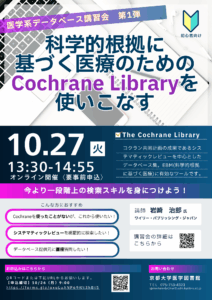
[Medical Library]Online workshop "Cochrane Library" (Oct. 27)
We will be holding an online workshop on Cochrane Library.
Date and Time: Tuesday, October 27, 2026, 1:30 PM – 2:55 PM
Venue: Online (Zoom)
Target Audience: Kyoto University members
Language: Japanese
For more details, please visit the Japanese-language page.
[Medical Library] Library will be closed on Oct. 14th (Faculty of Medicine’s Anatomy Ceremony)
Medical Library will be closed on Oct. 14th due to the Faculty of Medicine’s Anatomy Ceremony.
We apologize for your inconvenience.
Closed:Wednesday, 14 October, 2026
You can receive reserved books and materials ordered from other universities until 17:00 on the day.
But please contact us by phone or email in advance.
TEL: 075-753-4323
E-mail: igakueturan[at]mail2.adm.kyoto-u.ac.jp ([at]→@)
Please use the book post, when you return materials.
(Except for the books with CD or the books from other libraries)
Library of Human Health Sciences is open as usual.
[Maintenance] "KURENAI" has been temporarily inaccessible(10/06 7:30-9:00)
KURENAI will be temporarily unavailable for maintenance during the following time:
- Date: October 6th, 2026 (Tuesday)
- Time: 7:30 AM - 9:00 AM (JST, estimated)
We apologize for the inconvenience and appreciate your cooperation.
[Repository Section, Main Library]
Posted: 2026-10-05
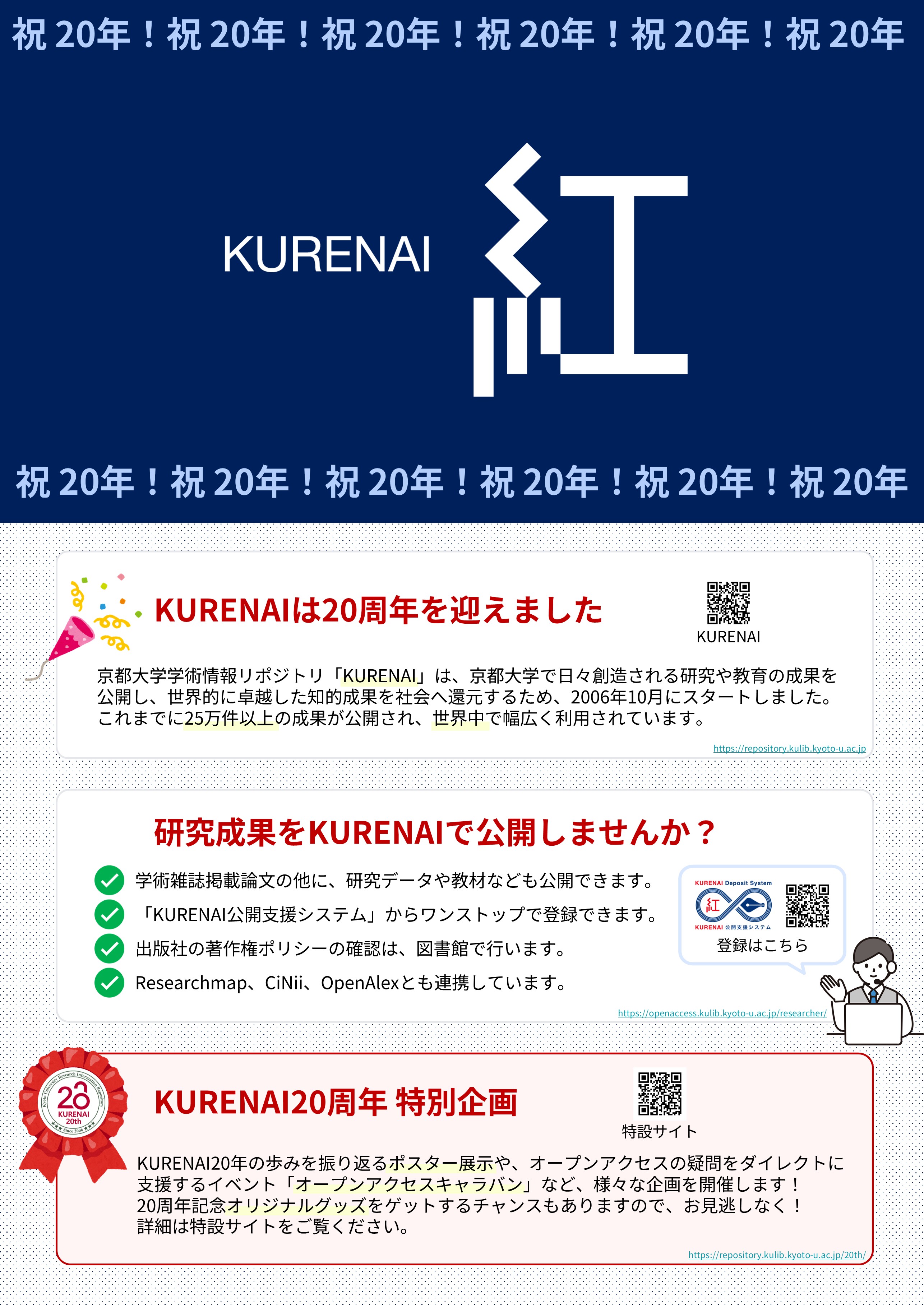
[Library Network] KURENAI 20th Anniversary: Special Website Launched
On October 2, 2026, Kyoto University Research Information Repository "KURENAI" celebrated its 20th anniversary, marking a significant milestone since its official launch in 2006.
We would like to express our deepest gratitude to all the researchers who have contributed their valuable research outputs, as well as to everyone inside and outside the university who has supported the development and operation of the system.
To celebrate this 20th anniversary, we have launched the "KURENAI 20th Anniversary Website".
The website will feature a variety of content reflecting KURENAI's past, present, and future.
KURENAI 20th Anniversary Website URL
Main Content
- Message from the Director-General
- 20 Years of History
- KURENAI in Numbers (Stats)
- Researcher Interviews *To be released sequentially
Additionally, as part of the 20th Anniversary Project, we will host on-campus exhibitions and seminars on open access.
- Open Access Caravan: Mini-seminars and individual consultation sessions regarding immediate OA, APC discounts, and related topics
- KURENAI 20th Anniversary Exhibition: An exhibition will be held at the Main Library, Library, Yoshida-South and Katsura Library.
As a platform to widely disseminate and share academic research outputs produced by Kyoto University with society and the world, KURENAI remains committed to promoting sustainable and reliable open access.
We deeply appreciate your continued understanding and support.
Contact:
Repository Section, Kyoto University Library
repository [@] mail2.adm.kyoto-u.ac.jp
[Posted on October 2, 2026]
[Updated on October 16, 2026]