[Library Network] Kyoto University Rare Materials Digital Archive : 166 titles including Daiso-bon Collection and Kawai Collection have been released
166 titles including Daiso-bon Collection and Kawai Collection in Main Library have been released.
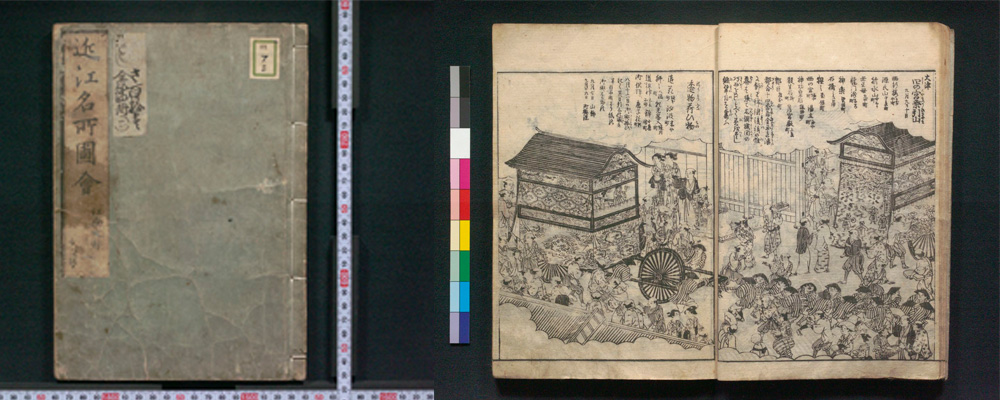
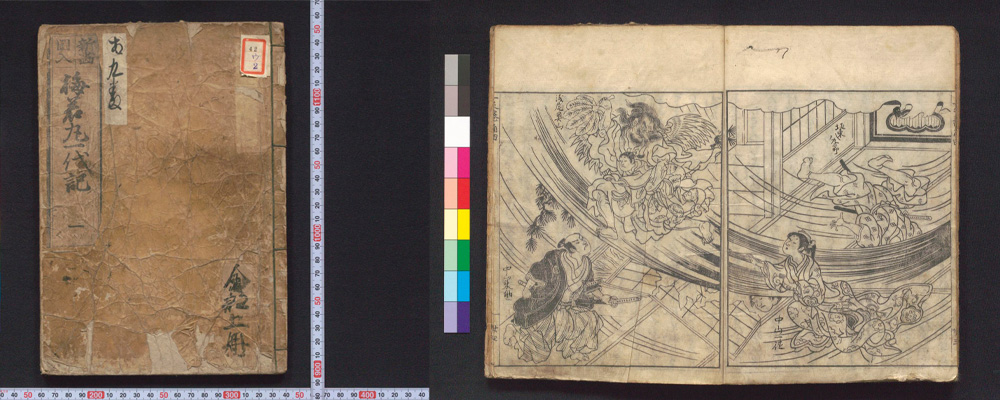
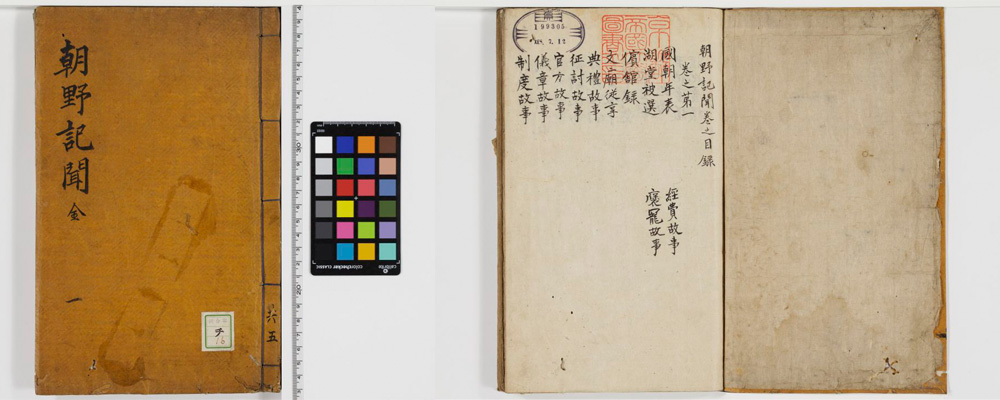
As of June 25, 2026, Kyoto University Rare Materials Digital Archive provides 2,302,937 images of 27,621 titles.
[Maintenance] "KURENAI" has been temporarily inaccessible(06/24 7:00-12:00)
KURENAI will be temporarily unavailable for maintenance during the following time:
- Date: June 24th, 2026 (Wednesday)
- Time: 7:00 AM - 12:00 AM (JST, estimated)
We apologize for the inconvenience and appreciate your cooperation.
[Repository Section, Main Library]
Posted: 2026-06-22
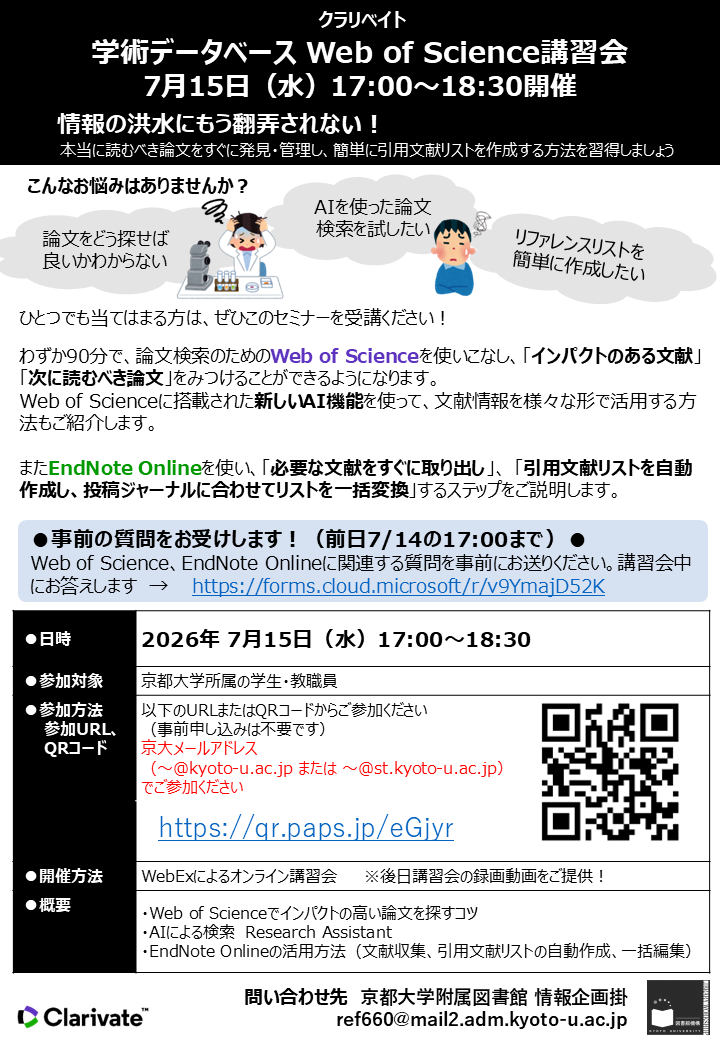
[Library Network] Online Seminar "Web of Science & EndNote Online" (7/15)
Don't be overwhelmed by the flood of information anymore!
Learn how to quickly find and manage the papers you truly need to read, and easily create citation lists.
This seminar will tell you how to find academic articles with database "Web of Science"
and how to make citation lists with "EndNote Online".
=========================================================
Library Network Online Seminar " Web of Science & EndNote Online "
=========================================================
*This seminar is held in Japanese only.
Date: 5:00 p.m.-6:30 p.m., Wednesday, July 15, 2026
Target: Students, faculty and staff at Kyoto University
Lecturer: Clarivate Plc (the provider of "Web of Science")
Detailed Contents:
We invite a lecturer from Clarivate Plc, the provider of academic article database "Web of Science". She will explain article search and management.
・How to find important articles with "Web of Science".
・How to organize articles and make citation lists with citation management tool "EndNote Online".
Let's learn tips on article search and management!
Place: Online (WebEX)
Application and Participation Page (webex):
*No advance registration is required.
*Please apply using your Kyoto University e-mail address.(~@kyoto-u.ac.jp / ~@st.kyoto-u.ac.jp )
*We will share the recording later.
Route Map level:
[2]Obtain information accurately(Intermediate) [3]Evaluate, organize, and manage information(Advanced)
(ref. Route Map to Becoming KU Libraries' Ultimate Power User)
We'll accept questions in advance! (Until 5:00 PM on July 14th):
Please send us any questions related to Web of Science or EndNote Online beforehand.
We will answer them during the seminar.
Question form → https://forms.cloud.microsoft/r/v9YmajD52K
Kyoto University Library Network
Contact: KU Main Library
MAIL: ref660[at]mail2.adm.kyoto-u.ac.jp
[Service restored][Maintenance]Temporary Suspension of Services Using Short-term IDs for E-resource Access (Friday, June 19, 2026, at 12:00 JST)
Due to server maintenance, the following services will be unavailable for approximately 10 minutes starting from 12:00 on Friday, June 19, 2026.
[Date and Time]
Friday, June 19, 2026, 12:00 - approx. 12:10 JST
[Affected Services]
- Access to electronic resources using Short-term IDs
(Note: Access via ECS-ID/SPS-ID will remain available as usual.) - Access to related websites
Services will resume as soon as the maintenance is complete.
We sincerely apologize for any inconvenience this may cause and appreciate your understanding and cooperation.
[Maintenance] "KURENAI" has been temporarily inaccessible(06/03 7:00-10:00)
KURENAI will be temporarily unavailable for maintenance during the following time:
- Date: June 3rd, 2026 (Wednesday)
- Time: 7:00 AM - 10:00 AM (JST, estimated)
We apologize for the inconvenience and appreciate your cooperation.
[Repository Section, Main Library]
Posted: 2026-06-02