[Library Network] [KURENAI Deposit System] New Function Release: researchmap Registration and FundInfo Autofilling
1. Overview

We updated the KURENAI Deposit System, adding the "researchmap Registration" and "Funding Information Autofilling" fundtions.
(You can log in to the KURENAI Deposit System using your SPS-ID.)
2. researchmap Registration
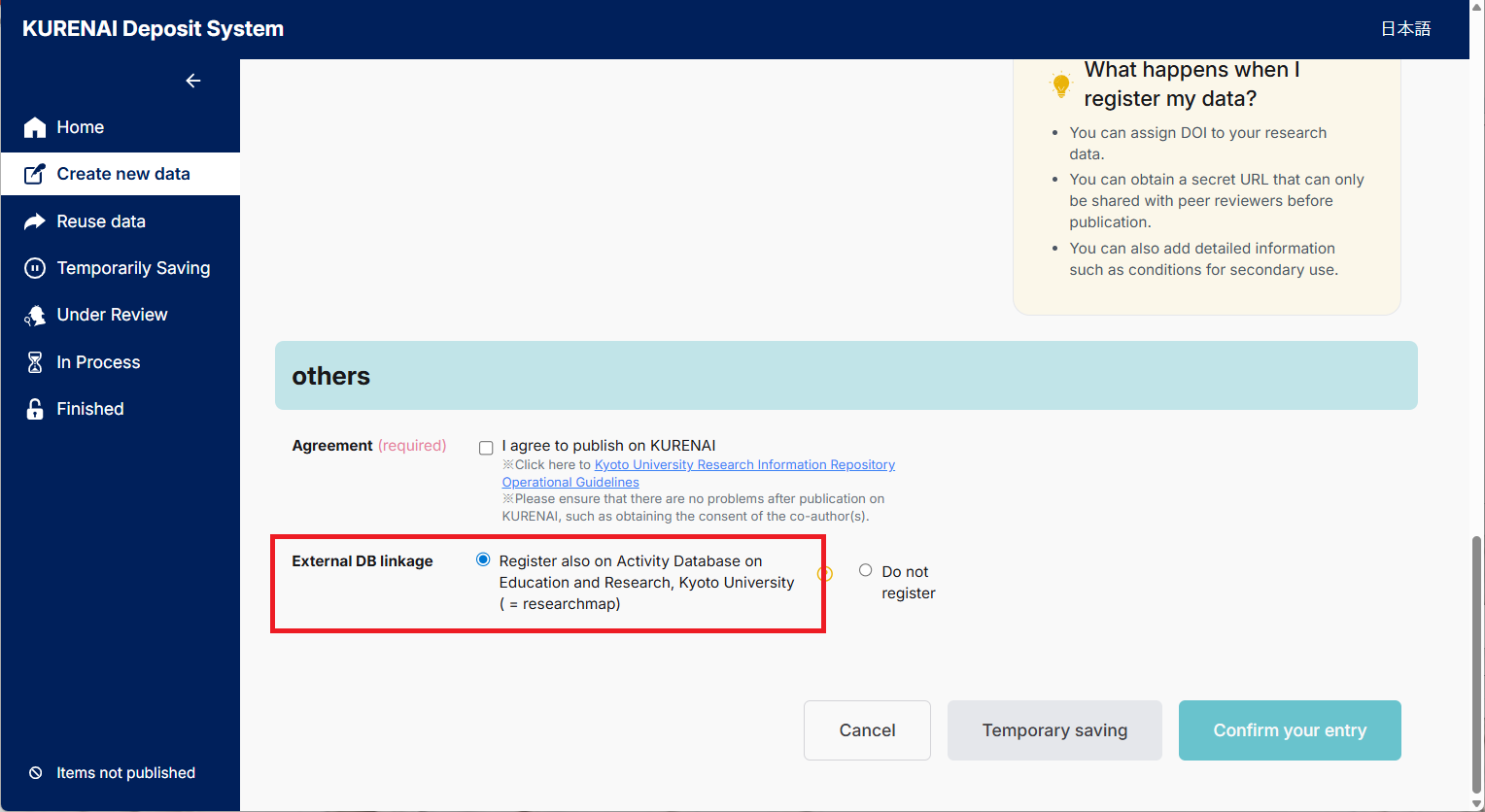
On the "Paper" registration screen, by selecting "Register also on Activity Database on Education and Research, Kyoto University ( = researchmap)", you can now register with researchmap at the same time as registering with KURENAI.
How to Use
*This option is displayed only if you have a researchmap ID (rm_id).
3. Funding Information Autofilling
On the registration screens for "Papers," "Research Data," and "Other Research Outputs," entering your Research project number of KAKEN and clicking the "Autofill Funding Info" button will now automatically populate fields such as "Funding organisation," "Research project URI," and "Title of research project".
How to Use
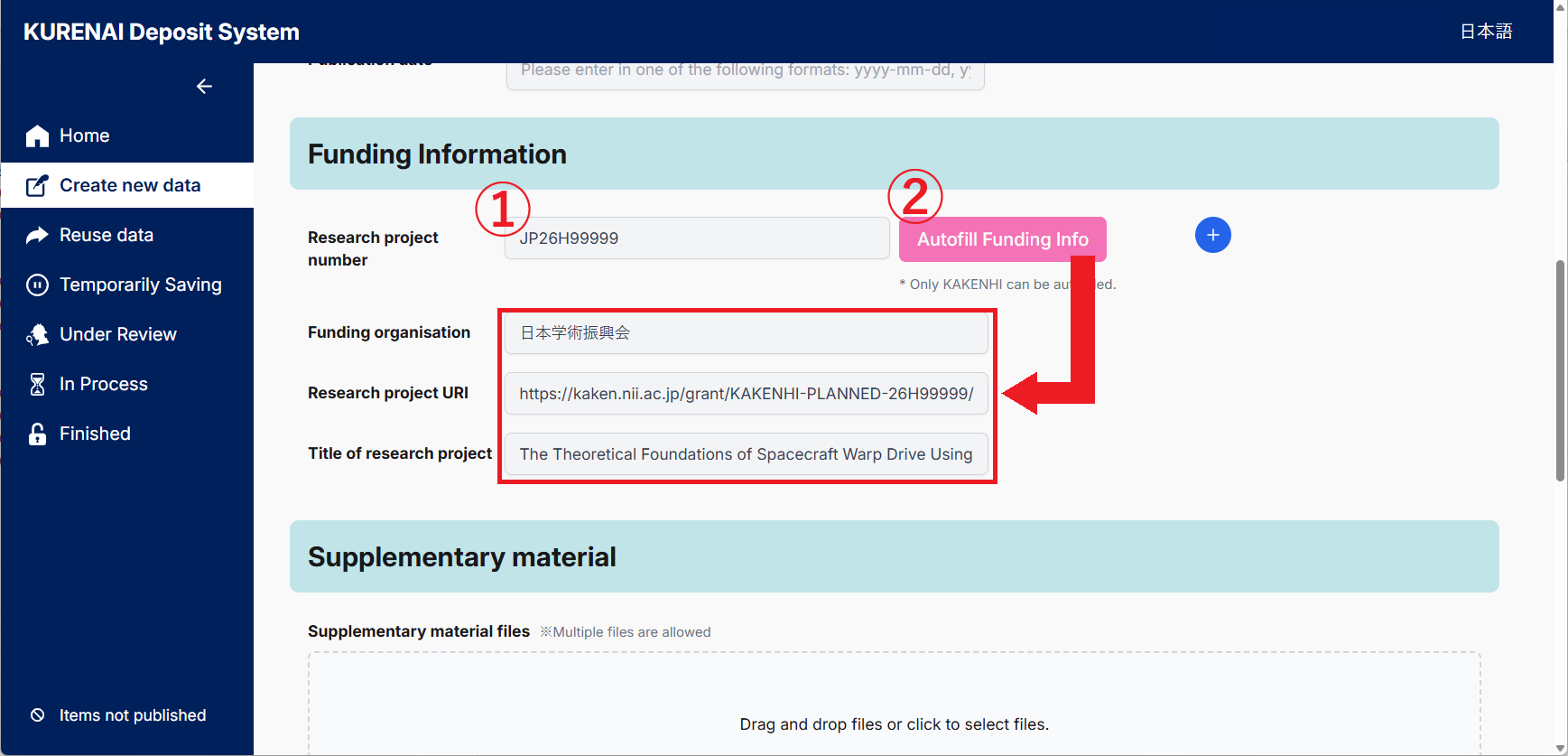
For detailed instructions, please refer to the "How to Use the KURENAI Deposit System".
[Contact]
Repository Section, Main Library
repository@mail2.adm.kyoto-u.ac.jp
- [Library Network] KURENAI 20th Anniversary: Special Event "Open Access Caravan" - Seminars & Consultations (2026-10-26)
- [Main Library, Yoshida-South Library, Katsura Library] KURENAI 20th Anniversary Exhibition (Oct 19–) (2026-10-19)
- [Maintenance] "KURENAI" has been temporarily inaccessible(10/06 7:30-9:00) (2026-10-05)
- [Library Network] KURENAI 20th Anniversary: Special Website Launched (2026-10-02)
- [Maintenance] "KURENAI" "KURENAI Deposit System" will be temporarily inaccessible(08/13 7am-2pm) (2026-08-05)
- [Maintenance] "KURENAI" "KURENAI Deposit System" will be temporarily inaccessible(07/30 8:00-11:00) (2026-07-29)
- [Maintenance] "KURENAI" has been temporarily inaccessible(06/24 7:00-12:00) (2026-06-22)
- [Maintenance] "KURENAI" has been temporarily inaccessible(06/03 7:00-10:00) (2026-06-02)
- [Maintenance] "KURENAI" has been temporarily inaccessible(05/19 7:00-11:00) (2026-05-18)
- "Time Stamping" Feature Now Available on KURENAI (2026-04-21)
