[Maintenance] Library Network Service temporarily stop on June.18
Due to the server maintenance, Library Network Service will temporarily stop on June. 18. Sorry for inconvenience
.■ Closed Date : June. 18 2020 8:30 - 21:00
■ Services not available : KULINE, MyKULINE, Online Services(Book Renewal, Reservations, Requests of Interlibrary Loans, etc.)
※Upon completion of the update, services will restart.
※E-journals, Databases, "Kyoto University Research Information Repository(KURENAI)", "Kyoto University Rare Materials Digital Archive" and Library Homepage don't stop.
(Main Library) KU Library Learning Support Desk Online
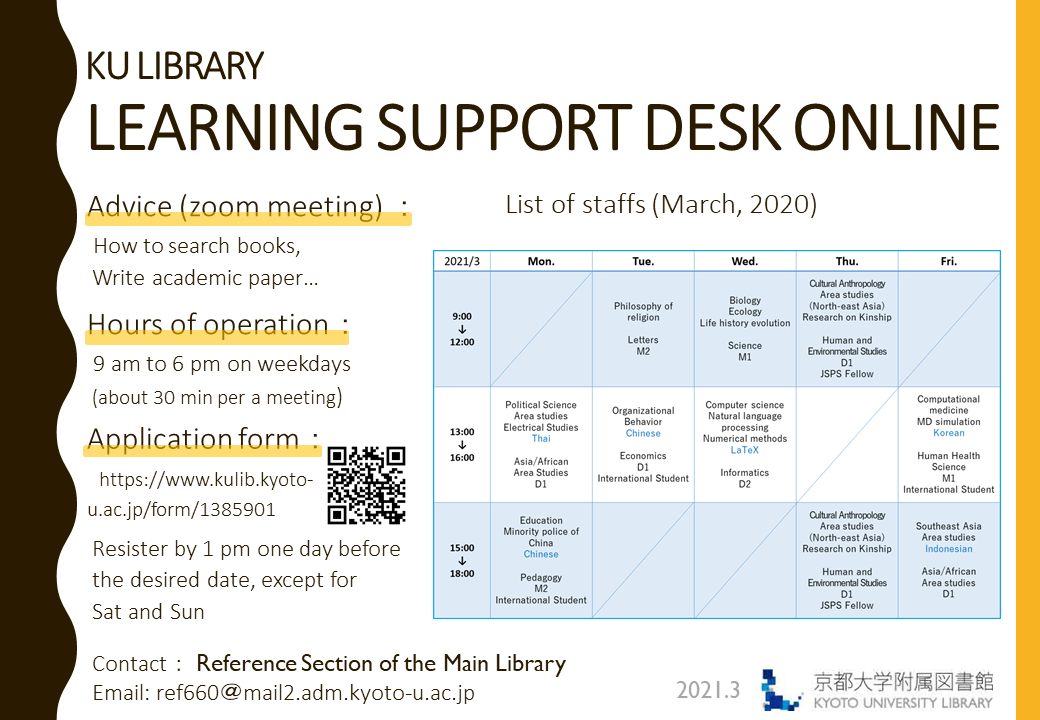
We are delighted to introduce our learner support via online.
Main Library will starts it from June 8, 2020.
Staffs from Learning Support Desk who are graduate students offer advice through Zoom to help you learn online, search books, or write academic paper.
All of them speak both English and Japanese fluently.
Please click here to make a reservation.
- Students of Kyoto University only.
Find more details about Learning Support Desk at https://www.kulib.kyoto-u.ac.jp/support/12334
List of staffs (second semester, 2020)

Notice
■ Hours of operation: 1 p.m. to 7 p.m. on weekdays (about 30 min per a meeting)
Please make sure to register by 1 p.m., one day before the desired date,except for Saturday and Sunday.
■ If you are looking for advanced advice on your own field, see the list of staffs to find their fields of study.
■ Once your reservation is confirmed, we will inform you by email with details including URL for the online meeting.
Contact: Reference Section of the Main Library
TEL: 075-753-2636
Email: ref660 at mail2.adm.kyoto-u.ac.jp
[附属図書館 利用支援掛]
[Main Library] Guide for Freshman
We open the webpage "Guide for Freshman" of Main Library.
https://www.kulib.kyoto-u.ac.jp/mainlib/service/freshman
[Kyoto University Library Network] Plug-in required to be authenticated to access e-resources
The students, faculty members, staff and other members of Kyoto University are entitled to access e-resources, such as e-journals, e-books and databases, for which Kyoto University entered into contract with their providers and publishers. In order to access the e-resources, the installment of a designated plug-in is required. This plug-in allows you to be authenticated to access the e-resources from the campus and even from home without other change of settings of your PC or network. Please note that you cannot access the e-resources from a browser without the plug-in.
System Requirement
OS: Windows, MacOS or Linux
Browser: Google Chrome or Mozilla Firefox
Download Site of the Plug-in
https://ninsho-log4.kulib.kyoto-u.ac.jp/plugin/plguide.html (ECS-ID/SPS-ID required)
How to Install/Use
Please make sure to read the following documents before installing the plug-in.
Guide to "e-Resources Access Authentication System" Firefox-en Ver.1.07 (ECS-ID/SPS-ID required)
https://ninsho-log4.kulib.kyoto-u.ac.jp/plugin/ejdb_plugin_firefox_en.pdf
Guide to "e-Resources Access Authentication System" Google Chrome-en Ver.1.05 (ECS-ID/SPS-ID required)
https://ninsho-log4.kulib.kyoto-u.ac.jp/plugin/ejdb_plugin_chrome_en.pdf
https://ninsho-log4.kulib.kyoto-u.ac.jp/plugin/plugin_faq_en.pdf
NOTES
- The plug-in doesn't support access from other browsers or devices than the above mentioned to which the plug-in cannot be installed, such as smartphones and tablet devices (iOS/Android).
- Please do not activate reference management software, while you are accessing the e-resources using the plug-in, because the plug-in doesn't support the use of such software. (The plug-in might interrupt the function of some reference management software, such as EndNote desktop, to import data from e-resources platforms.)
- When you use one of PC terminals equipped in Satellite Classrooms and Open Space Laboratories (OSL), you can access the e-resources by clicking a shortcut "Mozilla Firefox (e-resources)".
- Security software ESET Endpoint Protection Advanced might interrupt the installment or update of the plug-in. Please refer to the site below for details.
https://www.kulib.kyoto-u.ac.jp/bulletin/1385064
The Purpose of the e-Journal and Database Authentication System
Please refer to the Guide to e-Journal and Database Authentication System.
https://www.kulib.kyoto-u.ac.jp/service/12754?lang=en
Contact
https://www.kulib.kyoto-u.ac.jp/form/14106?lang=en
[Library Network] Conditions of Use and Licensing Restrictions for E-Resources
Use of electronic resources including databases, e-journals and e-books subscribed by Kyoto University is subject to copyright laws and licence agreements.
The licences generally prohibit the following uses:
- Systematic and programmatic download
- Usage beyond the private purpose
- Reproducing and distributing
Violation of the licence agreements may result in the suspension of access to e-resources for the whole University.
There have been frequent recent occurrences of users unintentionally downloading or accessing large volumes of data using pre-read browser functions. Pre-read browser functions continually access links within pages in the background while pages are being viewed. As a result of this, large volume data downloads or large volume access of which the user is unaware may occur, even if the user intends to use electronic journals in the standard way. We request your cooperation in disabling these functions by making the below changes to your browser settings.
Flier
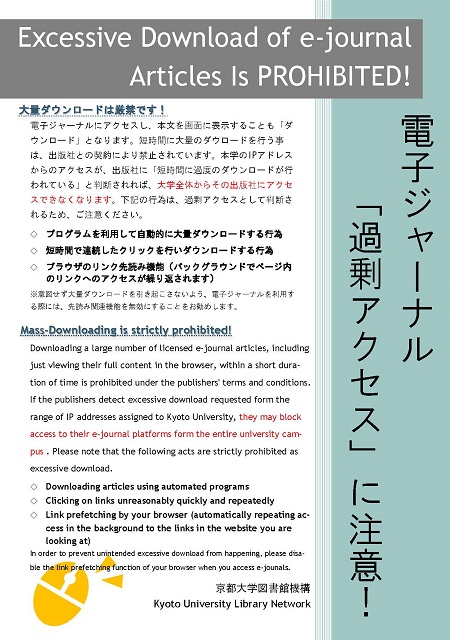
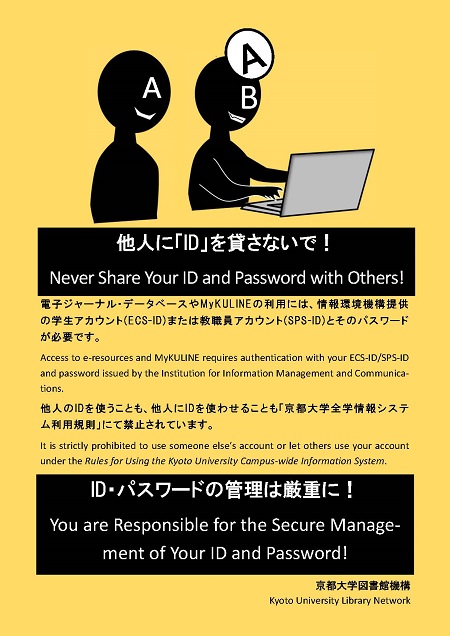
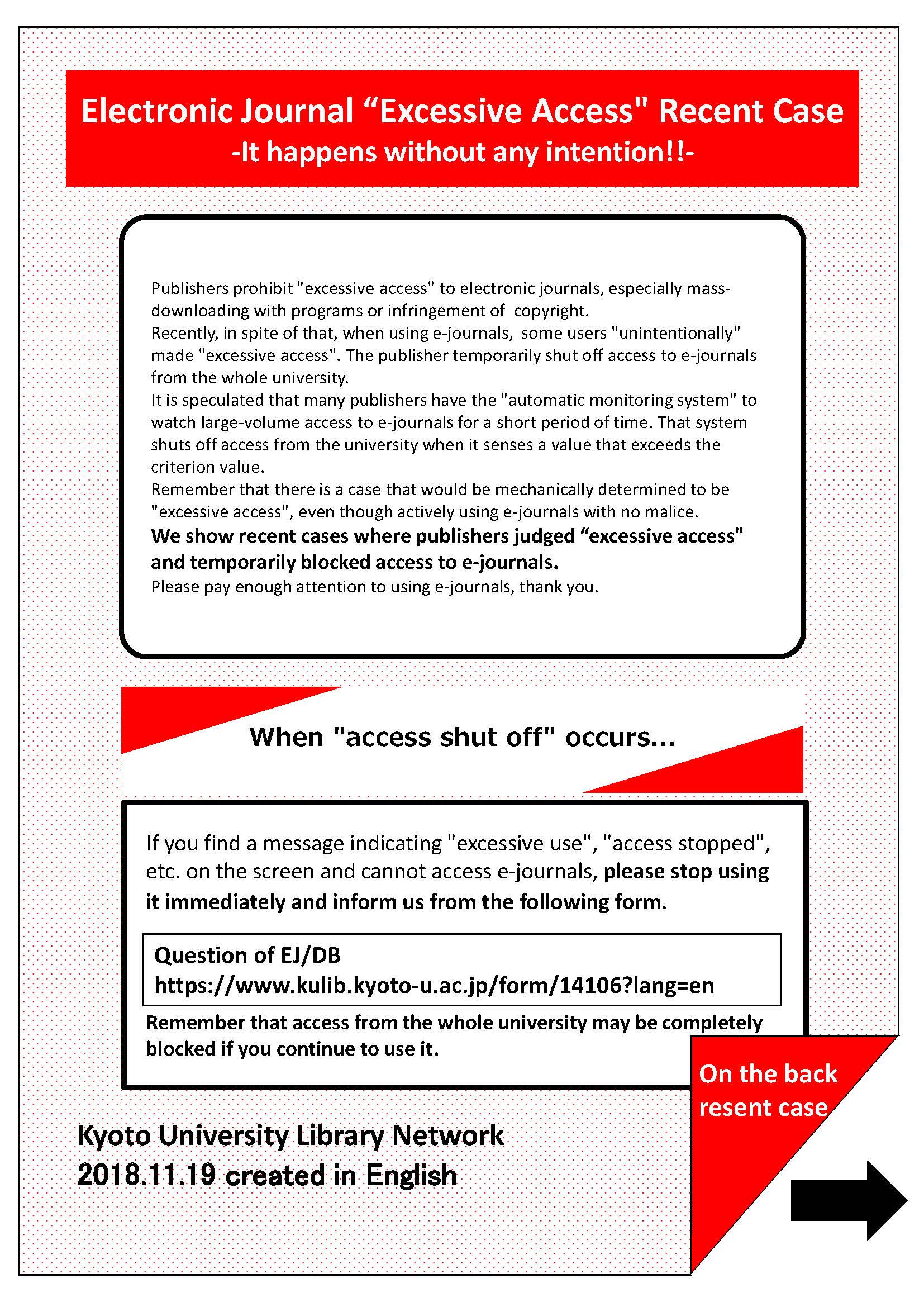
- Electronic Journal "Excessive Access" Recent Case: It happens without any intention!!(PDF)[Flier]
Ref.
- E-Journals & E-Books List
- Flier: E-Journals : Access and Use Restrictions (PDF) [English] [Chinese] [Korean] [Japanese]
- Guide to E-Journal and Database Authentication System
- EJ/DB Authentication System FAQ [JPN]
- Warning: Large volume access using pre-read browser functions
[Kyoto University Library Network]